How to Find x in Fractions + Area of a Composite (T‑Shaped) Figure
Published: January 2026
Problems that ask you to find a missing length x (in fractions) and then find the area of a composite (irregular) shape show up a lot in Grades 5–12. The trick is to treat the diagram like a puzzle: use the total width/height to solve for missing parts, then split the shape into easy rectangles.
Want to check your work from a photo?
If you already tried it and want feedback (what's correct, what's wrong, and how to fix it), upload a picture and ask Gradulo to check your steps.
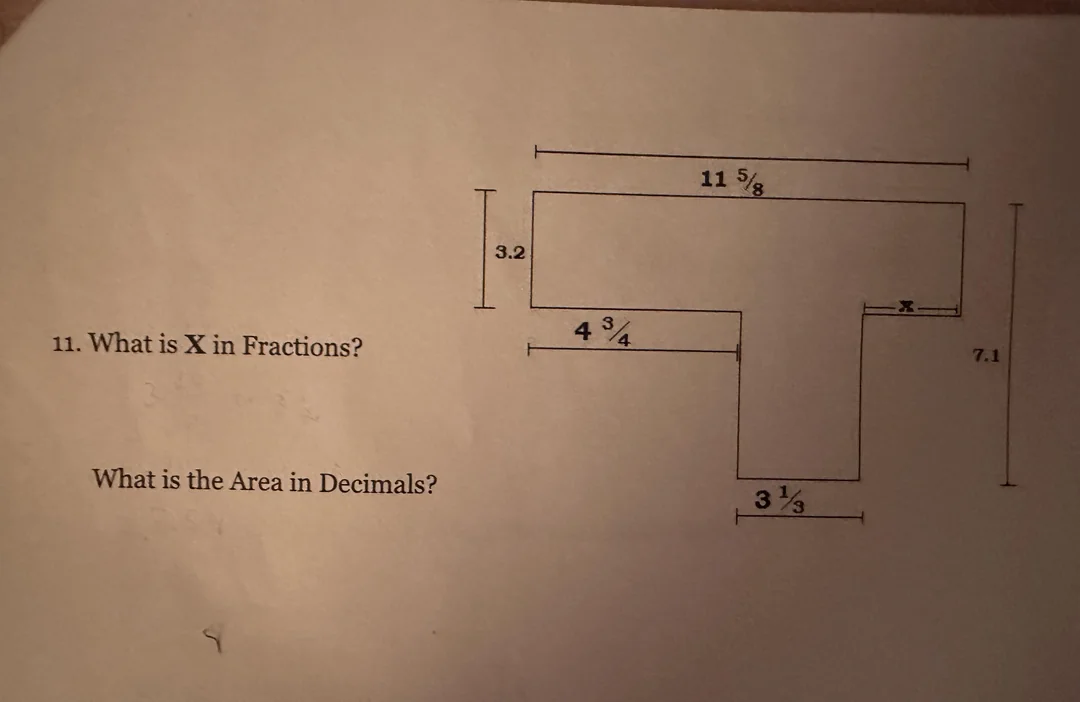
The example problem (worksheet photo)
In this example, the worksheet asks two things:
- Find x in fractions (a missing horizontal length)
- Find the area in decimals (of the full T-shaped figure)
Step 1: Find the missing length x (fractions)
The top width is 11 5/8. That total width is made of three horizontal pieces:
- 4 3/4 (left overhang)
- 3 1/3 (stem width)
- x (right overhang)
So the equation is:
11 5/8 = 4 3/4 + 3 1/3 + x
Convert to improper fractions (optional but clean)
- 11 5/8 = 93/8
- 4 3/4 = 19/4
- 3 1/3 = 10/3
Use a common denominator
A common denominator for 8, 4, and 3 is 24:
- 93/8 = 279/24
- 19/4 = 114/24
- 10/3 = 80/24
Now subtract to solve for x:
x = 279/24 − 114/24 − 80/24 = 85/24 = 3 13/24
Step 2: Find the area (in decimals)
Split the T-shape into two rectangles:
- Top bar: width 11 5/8 and height 3.2
- Stem: width 3 1/3 and height (7.1 − 3.2) = 3.9
Rectangle A (top bar)
- 11 5/8 = 11.625
- Area = 11.625 × 3.2 = 37.2
Rectangle B (stem)
- 3 1/3 = 10/3 ≈ 3.333…
- Area = (10/3) × 3.9 = 13
Total area
Add the two rectangle areas:
Total area = 37.2 + 13 = 50.2
Common mistakes (and how to avoid them)
- Forgetting what the total width represents: make sure you’re adding/subtracting horizontal segments that line up on the same straight line.
- Mixing mixed numbers and improper fractions: pick one format (often improper fractions) and stick with it.
- Using the wrong stem height: the stem height is the total height minus the top bar height (here: 7.1 − 3.2).
- Accidentally double-counting area: splitting into rectangles should cover the shape exactly once (no overlaps).
See what Gradulo's feedback looks like
Here's the kind of step-by-step feedback you can get after uploading a photo.
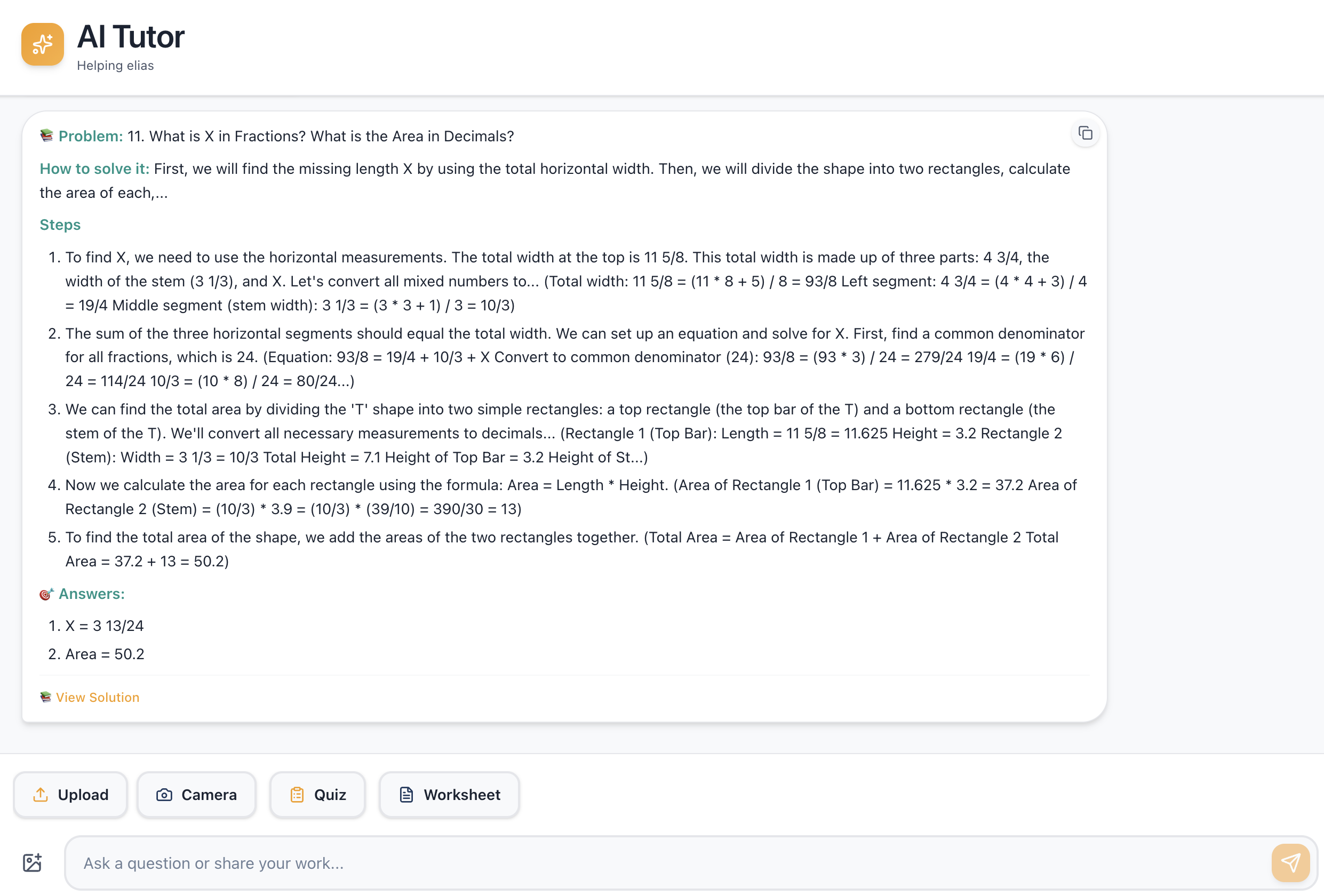
Fastest way to “check my work”
If you want a teacher-style check (not just an answer), upload a clear picture of your worksheet and include your steps. Gradulo will point out what's correct, what needs fixing, and what to do next.
- Check my work from a photo (conversion page + example)
- Try photo grading with a free account
Get Personalized Worksheets for Your Child
Gradulo creates custom worksheets based on your child's grade level and the Ontario curriculum. Print, practice offline, then scan for instant AI grading.